React + Docker + GitHub Actions
From Push to Production with GitHub Actions, Docker and GHCR
Hello friends! In my last post about SQL Database DevOps we deployed a database with GitHub Actions, and the artifact of that pipeline was a .dacpac file. Today we are going to do something very similar but for a frontend application, and this time the artifact is a Docker image.
The idea is simple: I push my code, GitHub Actions builds and tests it, packages everything into a container image, pushes that image to GitHub Container Registry and finally tells Azure Container Apps to run it. No manual steps, no docker push from my laptop, and no passwords stored anywhere. 🧑🏻💻
You can check all the code of this implementation in my GitHub repository: react-github-actions-demo, and you can see it running here: Rick and Morty Multiverse Explorer.
The application
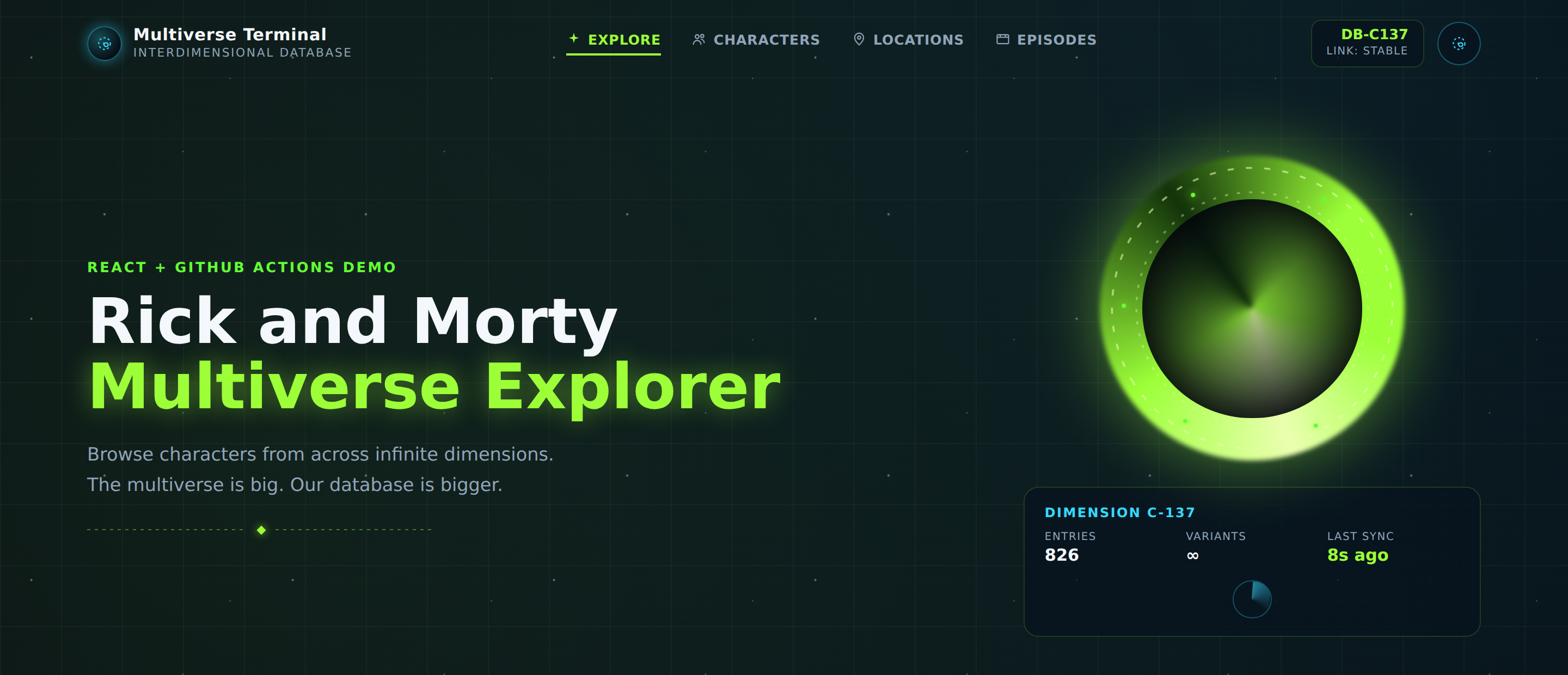
For this example I built a small React + TypeScript + Vite application that consumes the public Rick and Morty API (yes, again this show, I really love it 😁). It lets you browse the characters, the locations and the episodes:

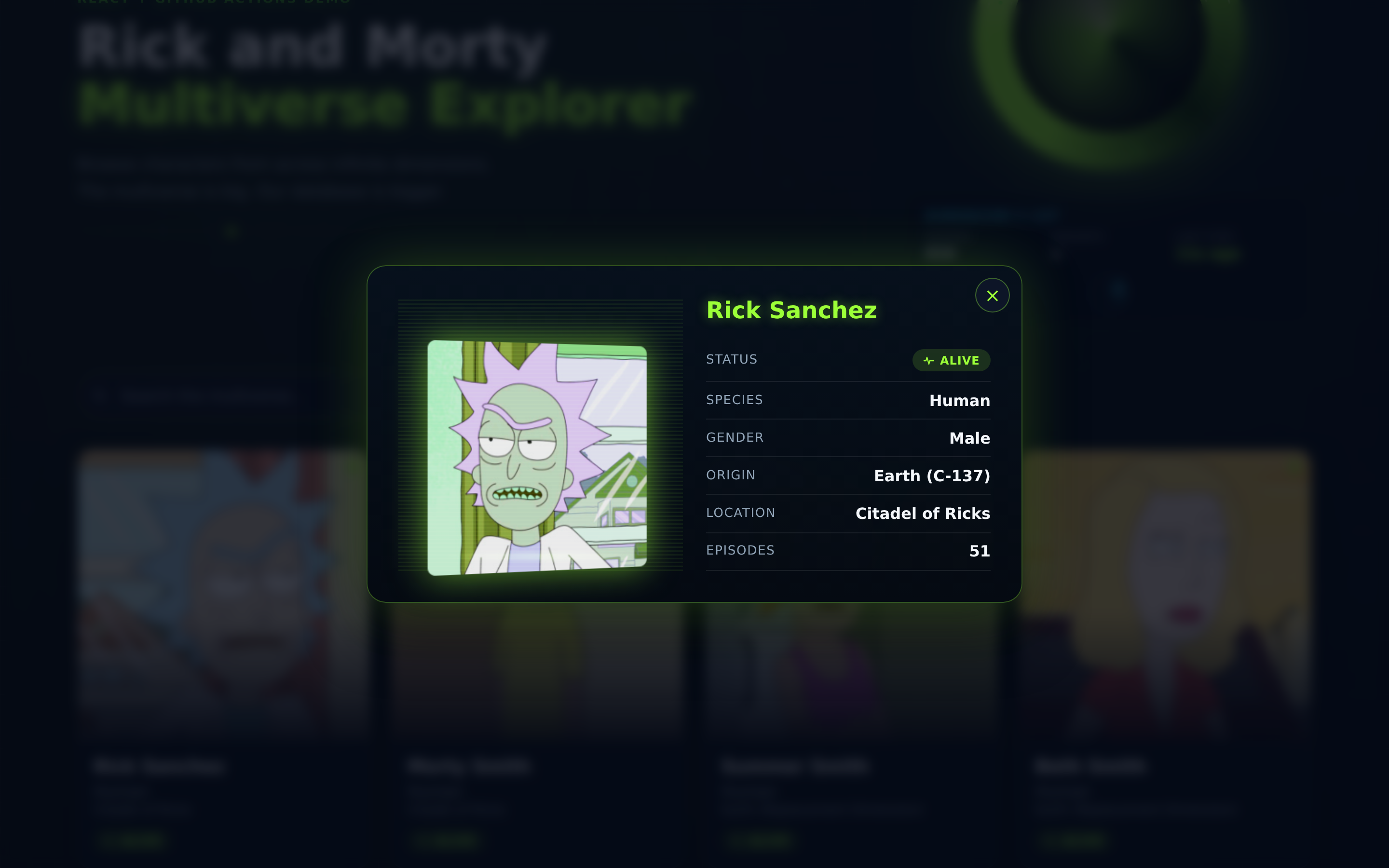
Every card opens a panel with the information of the character:
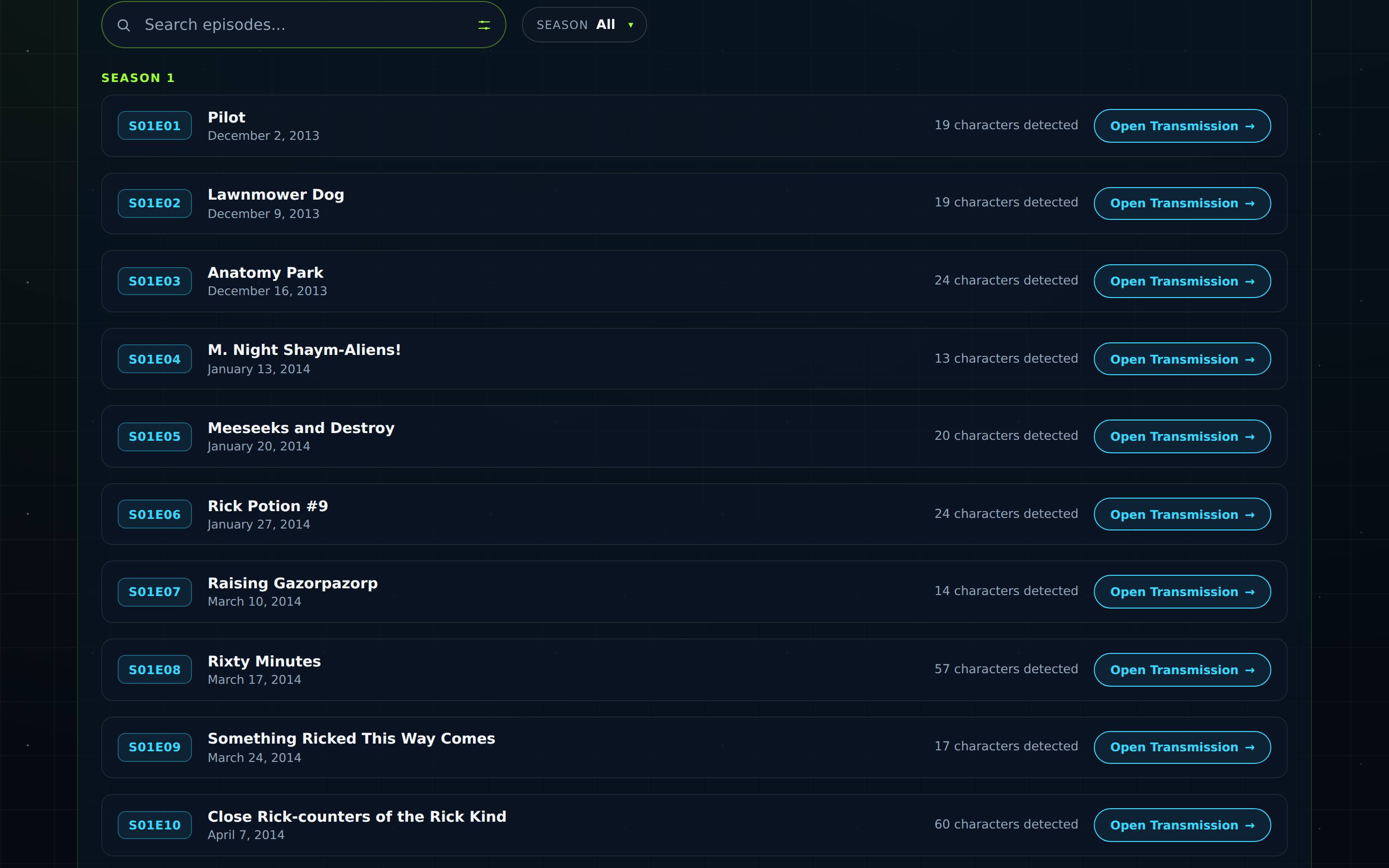
And in the episodes section we can see all the episodes grouped by season:
The application is intentionally simple, because the interesting part of this post is everything that happens after we press push. In fact, the landing page draws the pipeline that we are going to build:

Something important before we start: in this pipeline the image is the artifact. The CI validates our source code, but what we deploy is an image tagged with the commit SHA, so we always know exactly what is running in production.
Let’s see the Dockerfile
A very common mistake when we containerize a React application is to ship the whole node_modules folder to production. We do not need Node at runtime! Once Vite generates the dist folder, everything we need is plain HTML, CSS and JavaScript, so a small nginx image is more than enough.
For this reason we use a multi-stage build:
FROM node:22-alpine AS base

WORKDIR /app

COPY package*.json /app/
RUN npm ci

COPY . .

FROM base AS build
RUN npm run build

FROM nginx:1.27-alpine

COPY nginx.conf /etc/nginx/conf.d/default.conf
COPY --from=build /app/dist /usr/share/nginx/html

EXPOSE 80

HEALTHCHECK --interval=30s --timeout=3s --start-period=5s --retries=3 \
    CMD wget --quiet --tries=1 http://localhost/ || exit 1

CMD ["nginx", "-g", "daemon off;"]
Well, in the first stage we copy only the package*.json files and after that we run npm ci. This is not random, it is done because of the layer caching: if our source code changes but our dependencies do not, Docker reuses the cached layer of npm ci and the build is much faster.
The second stage runs npm run build and generates the dist folder, and in the last stage we start from nginx:1.27-alpine and we copy only that folder using COPY --from=build. The Node toolchain never arrives to the final image.
We also have a .dockerignore file, which in my opinion is as important as the Dockerfile:
node_modules
dist
coverage
.git
.github
.vscode
.env
.env.*
README.md
Without this file our local node_modules is sent to the Docker daemon as build context, and the build becomes slow for no reason.
Do not forget the nginx configuration
React applications are Single Page Applications, so if the user refreshes the browser in /characters, nginx is going to look for a file with that name, it will not find it, and it will return a 404. To avoid this we need a try_files fallback to index.html:
server {
    listen 8080;
    server_name _;

    absolute_redirect off;  # prevents nginx from rewriting redirect URLs with its internal port

    root /usr/share/nginx/html;
    index index.html;

    location / {
        try_files $uri $uri/ /index.html;
    }

    location /health {
        access_log off;
        return 200 "Healthy\n";
        add_header Content-Type text/plain;
    }
}
Notice that nginx is listening in the port 8080 and not in the 80. This is on purpose, Container Apps does not require root and using a non privileged port is a good practice. Just remember this port has to match the targetPort of our ingress, if not our application is going to build perfectly and it will answer nothing.
Continuous Integration
The CI workflow is our gatekeeper. It runs on every Pull Request against main and it does not build any image, it only validates that the code is healthy:
name: CI

run-name: CI Rick And Morty

on:
  pull_request:
    branches: [main]

  workflow_dispatch:

jobs:
  build:
    runs-on: ubuntu-latest

    steps:
      - name: Checkout repository
        uses: actions/checkout@v4

      - name: Set up Node.js
        uses: actions/setup-node@v6
        with:
          node-version: 22
          cache: 'npm'

      - name: Install dependencies
        run: npm ci

      - name: Linter
        run: npm run lint

      - name: Run tests
        run: npm test

      - name: Build app
        run: npm run build
Nothing fancy here: linter, tests with Vitest, and a build to be sure that TypeScript is happy. A small recommendation, do not forget the option cache: 'npm', it makes setup-node restore the npm cache between runs and it saves a good amount of time.
Continuous Deployment
Now the fun part! Our CD workflow is triggered with workflow_run, this means it only starts when the CI has finished, and it only continues if the CI finished successfully:
name: CD

run-name: CD Rick And Morty

on:
  workflow_run:
    workflows: ["CI"]
    types:
      - completed

permissions:
  id-token: write
  contents: read
  packages: write

env:
  IMAGE_NAME: ghcr.io/${{ github.repository_owner }}/react-github-actions-demo
  AZURE_CLIENT_ID: ${{ vars.AZURE_CLIENT_ID }}
  AZURE_TENANT_ID: ${{ vars.AZURE_TENANT_ID }}
  AZURE_SUBSCRIPTION_ID: ${{ vars.AZURE_SUBSCRIPTION_ID }}
  AZURE_RESOURCE_GROUP: ${{ vars.AZURE_RESOURCE_GROUP }}
  AZURE_CONTAINER_APP_NAME: ${{ vars.APP_NAME }}
Those three permissions are exactly what we need and nothing more: id-token: write to request the OIDC token for Azure, contents: read to checkout the code, and packages: write to push our image to GHCR.
Publishing the image to GHCR
jobs:
  publish:
    name: Publish Image
    runs-on: ubuntu-latest
    if: github.event.workflow_run.conclusion == 'success'
    steps:
      - name: Checkout
        uses: actions/checkout@v4
        with:
          ref: ${{ github.event.workflow_run.head_sha }}

      - name: Log in to GHCR
        uses: docker/login-action@v3
        with:
          registry: ghcr.io
          username: ${{ github.actor }}
          password: ${{ secrets.GITHUB_TOKEN }}

      - name: Set image reference
        id: image
        run: |
          echo "value=${IMAGE_NAME,,}:${{ github.event.workflow_run.head_sha }}" >> "$GITHUB_OUTPUT"
          echo "latest=${IMAGE_NAME,,}:latest" >> "$GITHUB_OUTPUT"

      - name: Set up Docker Buildx
        uses: docker/setup-buildx-action@v3

      - name: Build and push image
        uses: docker/build-push-action@v6
        with:
          context: .
          push: true
          tags: |
            ${{ steps.image.outputs.value }}
            ${{ steps.image.outputs.latest }}
          labels: |
            org.opencontainers.image.source=${{ github.server_url }}/${{ github.repository }}
            org.opencontainers.image.revision=${{ github.event.workflow_run.head_sha }}
          cache-from: type=gha
          cache-to: type=gha,mode=max
Let’s see some details of this job that I really like.
The first one is the checkout. When a workflow is triggered by workflow_run, by default it checks out the default branch, and that branch could have new commits already. Using ref: ${{ github.event.workflow_run.head_sha }} we guarantee that our image contains exactly the code that passed the CI.
The second one is the authentication against GHCR. We do not need to create a Personal Access Token, the automatic secrets.GITHUB_TOKEN is enough as long as we declared packages: write in the permissions. Very comfortable.
The third one took me a while to figure out the first time: the expression ${IMAGE_NAME,,}. This is a Bash parameter expansion that converts the string to lowercase, and it is necessary because the container registries only accept lowercase repository names, but my GitHub user is LuisiitoDev with capital letters. Without this the push fails with a very confusing error, so be careful with this one!
Also we are pushing two tags. The :latest tag is comfortable for us the humans, but the tag with the commit SHA is the one that we really deploy, because it is immutable and we can trace it. And the label org.opencontainers.image.source is what links the package in GHCR with our repository, so the package page shows the README and it inherits the visibility of the repo.
Finally, with cache-from: type=gha and cache-to: type=gha,mode=max the Docker layers are stored in the GitHub Actions cache, so that layer of npm ci that we talked about is reused between runs.
Deploying to Azure Container Apps
  deploy:
    name: Deploy to Production
    runs-on: ubuntu-latest
    needs: publish
    steps:
      - name: Log in to Azure using OIDC
        uses: azure/login@v2
        with:
          client-id: ${{ env.AZURE_CLIENT_ID }}
          tenant-id: ${{ env.AZURE_TENANT_ID }}
          subscription-id: ${{ env.AZURE_SUBSCRIPTION_ID }}

      - name: Deploy Image
        run: |
          OWNER=$(echo "${{ github.repository_owner }}" | tr '[:upper:]' '[:lower:]')
          az containerapp update \
              --name "${{ env.AZURE_CONTAINER_APP_NAME }}" \
              --resource-group "${{ env.AZURE_RESOURCE_GROUP }}" \
              --image "ghcr.io/${OWNER}/react-github-actions-demo:${{ github.event.workflow_run.head_sha }}"

      - name: Get application URL
        id: appurl
        run: |
          FQDN=$(az containerapp show \
              --name "${{ env.AZURE_CONTAINER_APP_NAME }}" \
              --resource-group "${{ env.AZURE_RESOURCE_GROUP }}" \
              --query properties.configuration.ingress.fqdn -o tsv)
          echo "url=https://$FQDN" >> "$GITHUB_OUTPUT"

      - name: Publish application URL
        run: |
          echo "Production URL: ${{ steps.appurl.outputs.url }}" >> "$GITHUB_STEP_SUMMARY"
Here we use the same OIDC login that we used in the SQL post, so again no secrets with passwords, GitHub exchanges a short lived token with Entra ID and that is it. Something to notice is that the Azure identifiers are in vars (repository variables) and not in secrets, because a subscription id or the name of a resource group is not really a secret.
And the deployment itself is only one command, az containerapp update --image .... Container Apps creates a new revision with our new image, it waits until it is healthy and then it moves the traffic. If the new revision never becomes healthy the old one keeps serving our users, which is a very nice safety net for free.
The last step writes the production URL in $GITHUB_STEP_SUMMARY, so at the end of every deployment we get a clickable link in the summary page of the workflow instead of looking for the FQDN in the portal. It is a small detail but I use it a lot.
The infrastructure with Bicep
I did not want to create the Container App clicking in the portal, so the managed environment and the application live in a infra/main.bicep file:
param location string = resourceGroup().location
param appName string
param containerImage string
param containerPort int = 8080

resource environment 'Microsoft.App/managedEnvironments@2024-03-01' = {
  name: '${appName}-env'
  location: location
  properties: {}
}

resource containerApp 'Microsoft.App/containerApps@2024-03-01' = {
  name: appName
  location: location
  properties: {
    managedEnvironmentId: environment.id
    configuration: {
      ingress: {
        external: true
        targetPort: containerPort
        transport: 'auto'
      }
    }
    template: {
      containers: [
        {
          name: appName
          image: containerImage
          resources: {
            cpu: json('0.25')
            memory: '0.5Gi'
          }
        }
      ]
      scale: {
        minReplicas: 0
        maxReplicas: 3
        rules: [
          {
            name: 'http-concurrency'
            http: {
              metadata: {
                concurrentRequests: '50'
              }
            }
          }
        ]
      }
    }
  }
}
There are three things worth mentioning in this template. The targetPort: 8080 matches the listen 8080 of our nginx configuration, as I said before these two must always agree. The minReplicas: 0 means scale to zero, so if nobody is visiting the site we do not pay anything for compute, and the price of this is a cold start in the first request after some idle time, which for a demo like this one is perfect. And the rule http-concurrency scales out when a replica is handling more than 50 concurrent requests, until a maximum of 3 replicas.
The infrastructure workflow is separated from the application one, and it only runs when something inside infra/** changes:
on:
    pull_request:
        branches:
            - main
        paths:
            - 'infra/**'
    workflow_dispatch:
It also validates the template before deploying it, which saves us from a lot of typos:
            - name: Validate Bicep
              run: >-
                az deployment group validate
                --resource-group "${{ env.AZURE_RESOURCE_GROUP }}"
                --template-file infra/main.bicep
                --parameters
                location="${{ env.AZURE_LOCATION }}"
                appName="${{ env.APP_NAME }}"
                containerImage="mcr.microsoft.com/azuredocs/containerapps-helloworld:latest"
                --output none
You probably noticed the placeholder image containerapps-helloworld. This is because the infrastructure and the application have different lifecycles: the Bicep template only needs to guarantee that the Container App exists, and the CD workflow is the one responsible for pointing it to the real image. If we put our image hardcoded in the Bicep, every deployment of the infrastructure would return the production to whatever tag is written in the template.
Some things that I learned
The first time I configured this pipeline everything was green and my application was answering nothing, so let me share with you the things that took me more time:
- By default the package published from a repository is private. If the Container App can not pull the image the revision fails to provision, and the error in the portal is not very explicit. We can change the visibility of the package to public, or configure a registry secret in the Container App.
- The
workflow_runtrigger only works from the default branch. The workflow file has to be already inmainfor the CD to fire, so testing it from a feature branch will not work like we expect. - And the ports, always the ports. The port of nginx, the
EXPOSEand thetargetPortshould tell the same story.
Wrap up
With this setup the complete trip from a Pull Request to production is automated: the CI validates our code, Docker packages it into a small nginx image, GHCR stores it tagged with the commit SHA, and Azure Container Apps runs it behind HTTPS with scale to zero. And the only credentials involved are short lived OIDC tokens.
And the best part is that this pattern is not something only for React, if we change the Dockerfile the same pipeline deploys an API, a worker, or whatever we can put inside a container.
I hope that it could be helpfull, Happy coding!!! 🧑🏻💻 😁